


kelownabomberfan
-
Joined
-
Last visited
Posts posted by kelownabomberfan
-
-
-
20 hours ago, SpeedFlex27 said:
No, Ben Hatskin & Sonny Werblin, the owner of the New York Jets were business acqaintances & friends. When he secured a team in the Westrn canada Hockey League, he named the team the Jets in honour of Werblin's AFL team. When he later sold the Junior Jets, he bought into the WHA with a franchise in 1971 & called them the Jets as well. Again, to honour Werblin.
Just an aside but in the 1950's my dad knew Ben Hatskin as well through business. Both men raced cars. My dad owned an Auto Body shop on Marion Street right beside the Norwood Hotel. It was there for 36 years from 1946-82. My father built a race car. Hatskin also owned a car as well & they raced against one another. Both my dad & Hatskin hired professional drivers to race their cars.
was that at the Speedway by St. Adolphe off the 75 Highway?
-
-
Edited by kelownabomberfan
22 hours ago, SpeedFlex27 said:They'd be the Winnipeg Winnipegs.
Since Ben Hatskin was playing for the Bombers at that time if Vince Leah didn't exist, Benny probably have started the tradition of New York team names back in the 30's instead of waiting to name the hockey team "Jets" in 1967- we'd be the Winnipeg Blue Yankees or Winnipeg Giant Dodgers lol....
-
6 minutes ago, JohnnyAbonny said:
I have a signed copy of that book.
There’s also this one from 1990 but yes we need one covering then til now.
Both Leah and Matheson were before my time but from these books I can see they were damn good sportswriters.If there never was a Vince Leah, we'd never have the "Blue Bombers".
- JohnnyAbonny and rebusrankin
-
 2
2
-
18 minutes ago, FrostyWinnipeg said:
Sports fans 'flabbergasted' after Sportsnet announces double-digit price hike.
https://www.cbc.ca/news/business/sportsnet-price-hike-1.7583342
Yeah this is a kick in the junk for Jets fans outside the TSN local market.
-
4 hours ago, Mark H. said:
You need to write a book
A History of the Blue Bombers: Leah, Vince: Books - Amazon.ca https://share.google/L8pKJcozve1O2NpRm
High time this book was updated. To include 1981 - 2024.
-
1 minute ago, Nolby said:
There's no way this game is a go anymore, it's a 3 hours delay now and they're likely out of beer and exchanging glances with sisters and cousins
Yup they have hit the "cousin hour" now in Regina.
-
-
8 hours ago, bigg jay said:
Love this one - Ty was my favorite as a kid.
He was one of my favorite players of that era. Him and Joe Pop.
6 hours ago, johnzo said:He was an absolute terror in the '84 Grey Cup with four sacks. I bet Dieter Brock still has nightmares about #35 coming at him.
That play where Jones crushed Dieter and Mikawos ran for about 70 yards for the TD on the fumble was the TSN turning point.
-
-
Jesse Puljujarvi signs a new deal in free agency
PoolParty heading to Europe. Laine not too far behind? Guys with that kind of talent and no heart are born to play in Europe. See Petan...Nic.
-
-
Congrats to Scott Oake!
Ryan Reynolds with a great message of support:
-
-
-
-
On 2025-06-25 at 9:53 AM, 17to85 said:
Like Milt Stegall is the best receiver ever in the league and will always be a fan favourite.... but if they tried to put him in the field we'd all lose our ****.
Every player no matter how great has a best before date. Bighill is well past his.
In a related story the Flames have just signed Morris Lukowich.
- rebusrankin, Tracker and Booch
-
 3
3
-
-
-
-
-
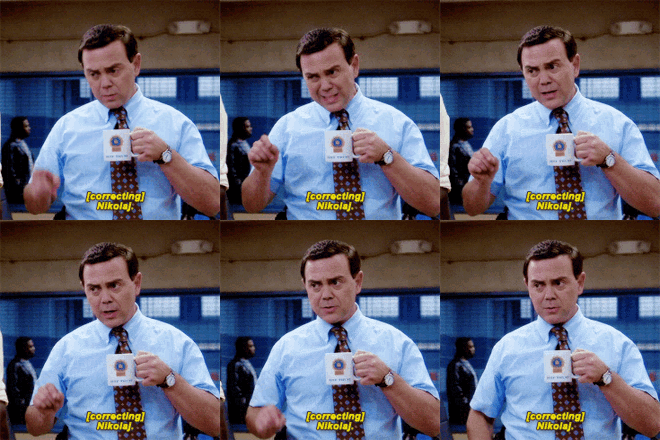
can't wait for the first shift in a Jets/Canes game and we see someone go near Nikolaj and watch him flop down like he's been shot. Kinda tired of that move...but never tired of this:
- Bomberguy and FrostyWinnipeg
-
1
-
1
-
3 hours ago, Bomberguy said:
Thanks for the great memories Nikolaj, all the best in your future efforts, except against the Jets 😁.
Well if your gonna be that way LOL 😂
Have fun with your new soft team, hurricanes
 3 hours ago, Goalie said:
Apparently he’s gonna do the Marner message to the fans thing. Spare it really tho. Didn’t wanna be here so he can go **** himself.
I thought expressing your feelings was healthy...thanks Nik for all ya done, but I think it's good for you to move on. Carolina is a highly skilled team and you'll fit in well there.
Stamps at Bombers early chat
in Blue Bomber Discussion