

Jump to content
View in the app

A better way to browse. Learn more.

Morning Big Blue

A full-screen app on your home screen with push notifications, badges and more.

To install this app on iOS and iPadOS
  1. Tap the Share icon in Safari
  2. Scroll the menu and tap Add to Home Screen.
  3. Tap Add in the top-right corner.
To install this app on Android
  1. Tap the 3-dot menu (⋮) in the top-right corner of the browser.
  2. Tap Add to Home screen or Install app.
  3. Confirm by tapping Install.

Chaosmonkey

Members
  • Joined

  • Last visited

Everything posted by Chaosmonkey

  1. Just wondering if you are going to leave the post count showing? I prefer not having it out there, but other people may have a different opinion on it. Also, if possible, could my title be "Warming up on the bike"?
  2. Well, thank goodness I'm cheap. I'll be sitting high and dry no matter what the weather does!
  3. This new layout is the bee's knees.
  4. And seat 11 is for me.
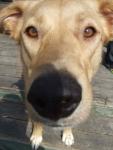
  5. I was expecting more of this:
  6. Clearly they will have to build a 5th gate.
  7. I think that everyone that has all of the letters y e k n o m s a h c in their login name should be given free ice cream.
Account

Navigation

Search

Configure browser push notifications

Chrome (Android)
  1. Tap the lock icon next to the address bar.
  2. Tap Permissions → Notifications.
  3. Adjust your preference.
Chrome (Desktop)
  1. Click the padlock icon in the address bar.
  2. Select Site settings.
  3. Find Notifications and adjust your preference.